Avisos
Vaciar todo

Administración WordPress
2
Respuestas
2
Usuarios
0
Reacciones
5
Visitas

Topic starter
Hola,
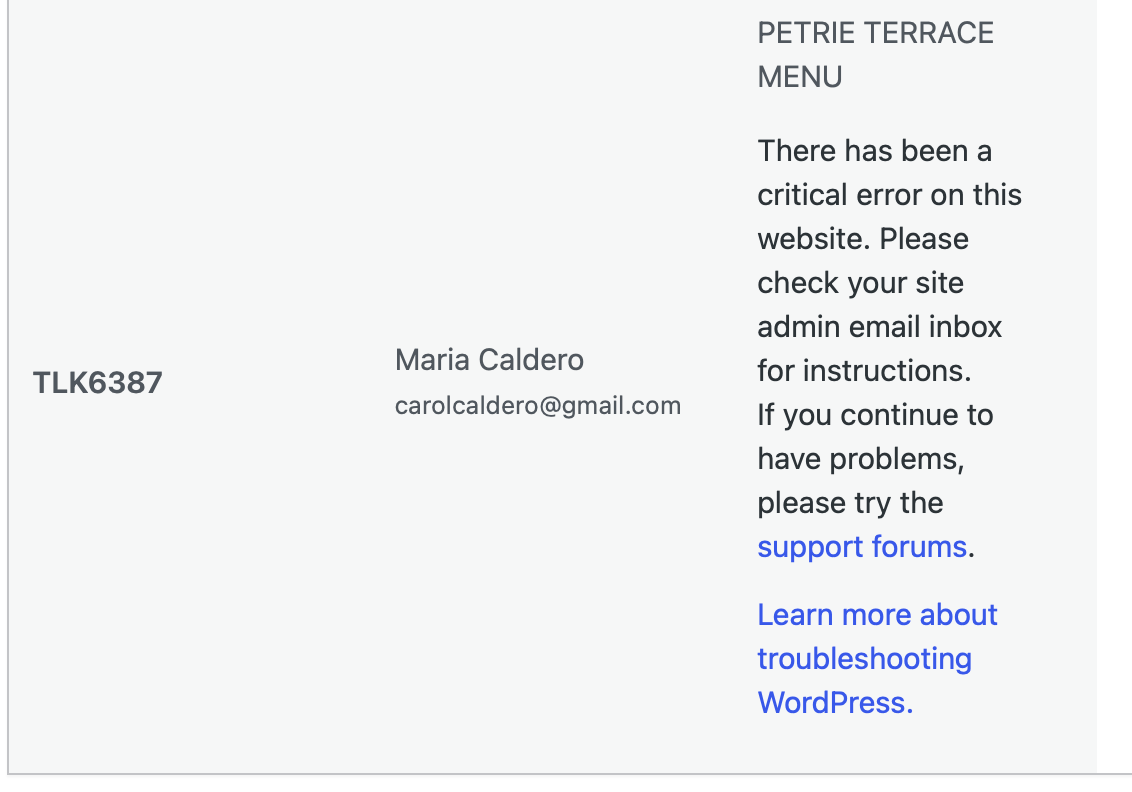
He recibido un error de un plugin, y asociado con un mensaje de error también (adjunto captura de pantalla).
Este es el mensaje:
WordPress has a built-in feature that detects when a plugin or theme causes a fatal error on your site, and notifies you with this automated email.
In this case, WordPress caught an error with one of your plugins,
d Check-in for WooCommerce.
First, visit your website ( https://www.thelovingkitchen.com.au/ ) and check for any visible issues. Next, visit the page where the error was caught ( https://www.thelovingkitchen.com.au/wp-admin/admin.php?page=wc-settings&tab=ticket_settings&filter_product=2943 ) and check for any visible issues.
Please contact your host for assistance with investigating this issue further.
If your site appears broken and you can't access your dashboard normally, WordPress now has a special "recovery mode". This lets you safely login to your dashboard and investigate further.
To keep your site safe, this link will expire in 1 day. Don't worry about that, though: a new link will be emailed to you if the error occurs again after it expires.
When seeking help with this issue, you may be asked for some of the following information:
WordPress version 7.0
Active theme: Bridge Child (version 1.0.0)
Current plugin: QR Code Tickets and Check-in for WooCommerce (version 3.3.0)
PHP version 8.3.30
Error Details
=============
An error of type E_ERROR was caused in line 9214 of the file /home2/kundalin/public_html/thelovingkitchen.com.au/wp-content/plugins/ticket-checkin/ticket-checkin.php. Error message: Uncaught Error: Call to a member function get_formatted_name() on false in /home2/kundalin/public_html/thelovingkitchen.com.au/wp-content/plugins/ticket-checkin/ticket-checkin.php:9214
Stack trace:
#0 /home2/kundalin/public_html/thelovingkitchen.com.au/wp-content/plugins/ticket-checkin/ticket-checkin.php(6125): wc_tickets_get_formatted_variations()
#1 /home2/kundalin/public_html/thelovingkitchen.com.au/wp-content/plugins/ticket-checkin/ticket-checkin.php(5765): WC_Ticket_Checkin->display_tickets_table()
#2 /home2/kundalin/public_html/thelovingkitchen.com.au/wp-content/plugins/ticket-checkin/ticket-checkin.php(2304): WC_Ticket_Checkin->admin_page()
#3 /home2/kundalin/public_html/thelovingkitchen.com.au/wp-includes/class-wp-hook.php(341): WC_Ticket_Checkin->settings_tab()
#4 /home2/kundalin/public_html/thelovingkitchen.com.au/wp-includes/class-wp-hook.php(365): WP_Hook->apply_filters()
#5 /home2/kundalin/public_html/thelovingkitchen.com.au/wp-includes/plugin.php(522): WP_Hook->do_action()
#6 /home2/kundalin/public_html/thelovingkitchen.com.au/wp-content/plugins/woocommerce/includes/admin/views/html-admin-settings.php(122): do_action()
#7 /home2/kundalin/public_html/thelovingkitchen.com.au/wp-content/plugins/woocommerce/includes/admin/class-wc-admin-settings.php(194): include('/home2/kundalin...')
#8 /home2/kundalin/public_html/thelovingkitchen.com.au/wp-content/plugins/woocommerce/includes/admin/class-wc-admin-menus.php(381): WC_Admin_Settings::output()
#9 /home2/kundalin/public_html/thelovingkitchen.com.au/wp-includes/class-wp-hook.php(341): WC_Admin_Menus->settings_page()
#10 /home2/kundalin/public_html/thelovingkitchen.com.au/wp-includes/class-wp-hook.php(365): WP_Hook->apply_filters()
#11 /home2/kundalin/public_html/thelovingkitchen.com.au/wp-includes/plugin.php(522): WP_Hook->do_action()
#12 /home2/kundalin/public_html/thelovingkitchen.com.au/wp-admin/admin.php(264): do_action()
#13 {main}
thrown
No he hecho nada para no crear mas errores. Que tengo que hacer? Este es un plugin que estoy utilizando para códigos QR
Error:
Gracias
Saludos,
Carolina
Contenido solo visible a usuarios registrados
Respondido : 23/05/2026 4:58 am

Hola Carolina,
El aviso que recibes es el correo automático de WordPress cuando detecta un error fatal en un plugin. En este caso, el error no parece venir del servidor directamente, sino del plugin QR Code Tickets and Check-in for WooCommerce.
El detalle importante es este:
Call to a member function get_formatted_name() on false
Esto suele indicar que el plugin está intentando leer información de un producto, variación o ticket, pero en lugar de encontrar esos datos recibe un valor vacío o inválido. En el enlace del error también aparece este parámetro:
filter_product=2943
Por lo que lo primero sería revisar ese producto concreto en WooCommerce, ya que puede que el ticket esté asociado a un producto o variación que fue eliminado, modificado, despublicado o que no está siendo reconocido correctamente por el plugin.
Vemos que la ver funciona correctamente, al menos en la parte del homepage y navegacion interna, entonces acceder al administrador y revisar el producto con ID 2943 desde WooCommerce > Productos. Si es un producto variable, revisar que sus variaciones estén creadas correctamente y que no haya alguna eliminada o incompleta.
Guardar de nuevo el producto y luego revisar la sección de configuración del plugin. Aqui vas a verificar si hay actualizaciones disponibles del plugin, WooCommerce o del tema.
Si al entrar en el administrador la web se queda bloqueada, puedes usar el enlace de “recovery mode” que te envió WordPress. Ese modo permite acceder al panel y desactivar el plugin que está generando el fallo sin afectar el resto de la web.
También veo que la web está usando PHP 8.3.30. Si el error comenzó después de una actualización de PHP, WordPress, WooCommerce o del propio plugin?? Saber esto nos ayudaria a poderte indicar mejor que hacer. Este plugin por lo que vemos es de pago seria entonces reportarlo también al soporte del desarrollador del plugin, adjuntando el error completo que has compartido.
Ellos podrán confirmar si es un fallo del plugin con ese producto/ticket concreto o si requiere una actualización/corrección por su parte.
Verifica lo que te comento y nos mantienes informados.
Un saludo 🖐️
Respondido : 23/05/2026 5:16 pm