
Avisos
Vaciar todo

Plugins WordPress
11
Respuestas
3
Usuarios
0
Reacciones
42
Visitas

Topic starter
Hola, estoy teniendo problemas con Sensei LMS y soy incapaz de ver como solucionarlos.
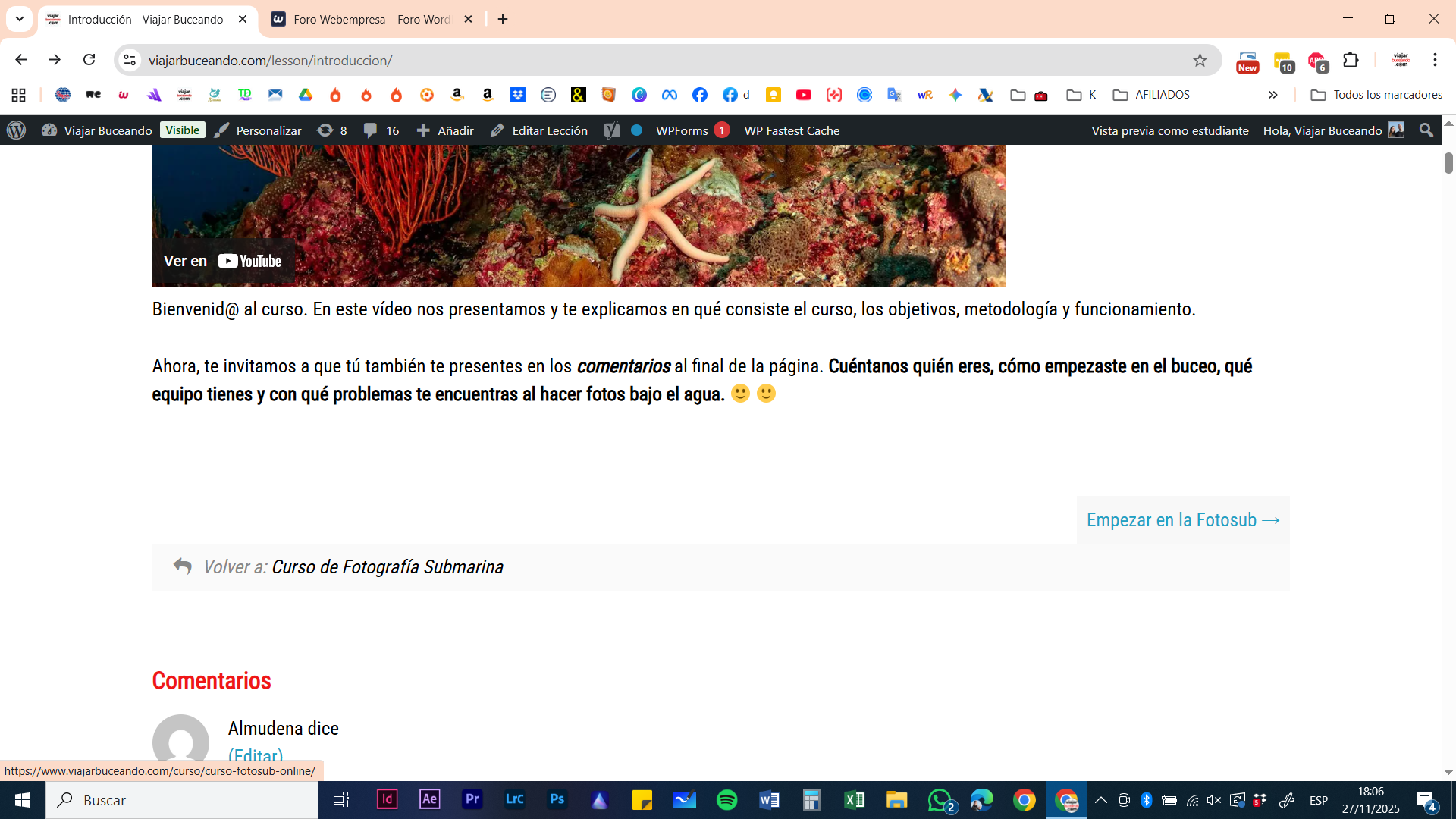
Los enlaces internos para navegar y acceder a las lecciones de un curso que lleva tiempo funcionando parece que ahora redirigen a otros enlaces con lo que los alumnos no pueden seguir el curso.
Por ejemplo, en la captura de pantalla el enlace que pone "Volver a Curso de fotografia submarina" debería llevar al enlac qu aparece en la esquina inferior izquierda de la pantalla, sin embargo al hacer clic me lleva a esta otra: https://www.viajarbuceando.com/?attachment_id=8685
En el enlace que lleva a la siguiente lección donde pone "empezar en la fotosub" en vez de lllevar al enlace correcto redirige a una 404.
Respondido : 27/11/2025 5:10 pm

Hola Ana,
Si escribo en la barra de navegación la url que nos compartes es correcto que lleva a:
https://www.viajarbuceando.com/?attachment_id=8685
Haz cambiado los enlaces permanentes? Vamos a hacer lo siguiente, ingresa primero en tu wepanel, y vas a seguir esta ruta:
Wepanel > gestion de archivos > public_html > dominio > archivo .htaccess
A este archivo vas a cambiarle el nombre, por algun otro por ejemplo .htaccess_old, una vez le cambies el nombre ingresas a tu WordPress en Ajustes > enlaces permanentes. Aquio sin hacer ningun cambio vas a guardar los enlaces, para que se regenere un nuevo archivo htaccess y ver si con esto logras solucionar el problema del enlace.
Otra prueba sería si esto no funciona, dejas solo sensei lms activo y todos los demás plugins los desactivas, esto lo haces un momento y vez si así te permite ingresar sin problema al url, si lo haces, vas activando de nuevo uno a uno los plugins para dar con el que esta interfiriendo en la url del curso.
Verifica y nos comentas que tal te va la prueba.
Un saludo 🖐️
Respondido : 27/11/2025 7:15 pm
Topic starter
Hola, gracias.
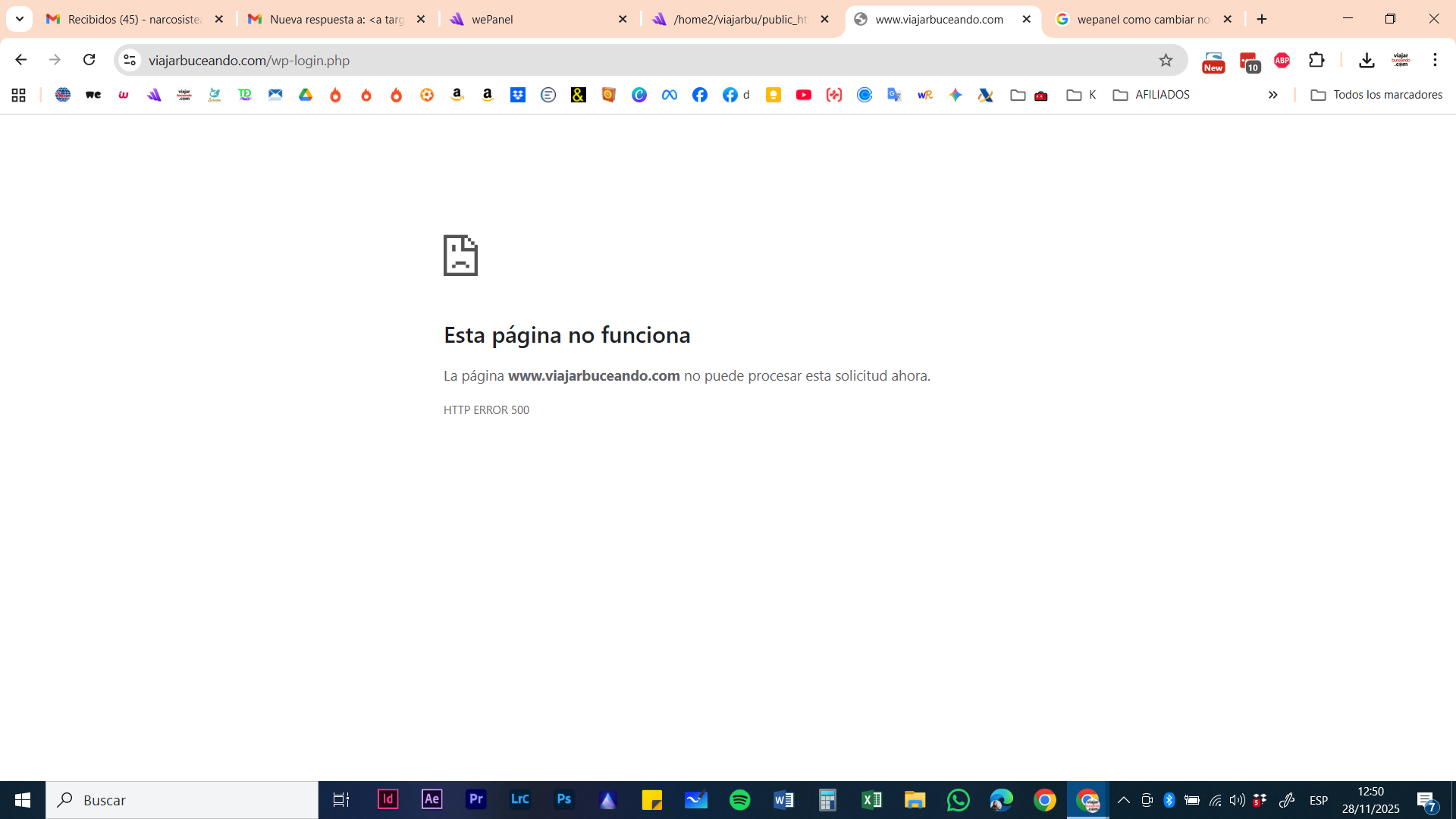
He intentado hacer lo que comentas pero después de cambiar el nombre del archivo .htaccess me aparece error 500 y no puedo acceder a wordpress. Adjunto captura.
En wepanel tampoco he encontrado el dominio, he cambiado el nombre del archivo .htaccess que hay dentro de la carpeta public_html
Respondido : 28/11/2025 11:55 am
Topic starter
He intentado la segunda solución, usando el modo troubleshooting. Activando unicamente el plugin de Sensei LMS sigue habiendo el mismo problema.
Respondido : 28/11/2025 12:09 pm
Hola Ana Isabel.
Revisa si tienes una imagen con el nombre curso-fotosub-online.
Si la tienes prueba lo siguiente:
.- Elimina la imagen permanentemente, no la dejes en la papelera
.- Prueba si se soluciona, si se soluciona y necesitas esa imagen la vuelves a subir pero con un nombre distinto para que no tenga el mismo Slug que el de la pagina del curso.
Revisa lo que te indico y nos comentas.
Un Saludo
Respondido : 28/11/2025 3:13 pm
Topic starter
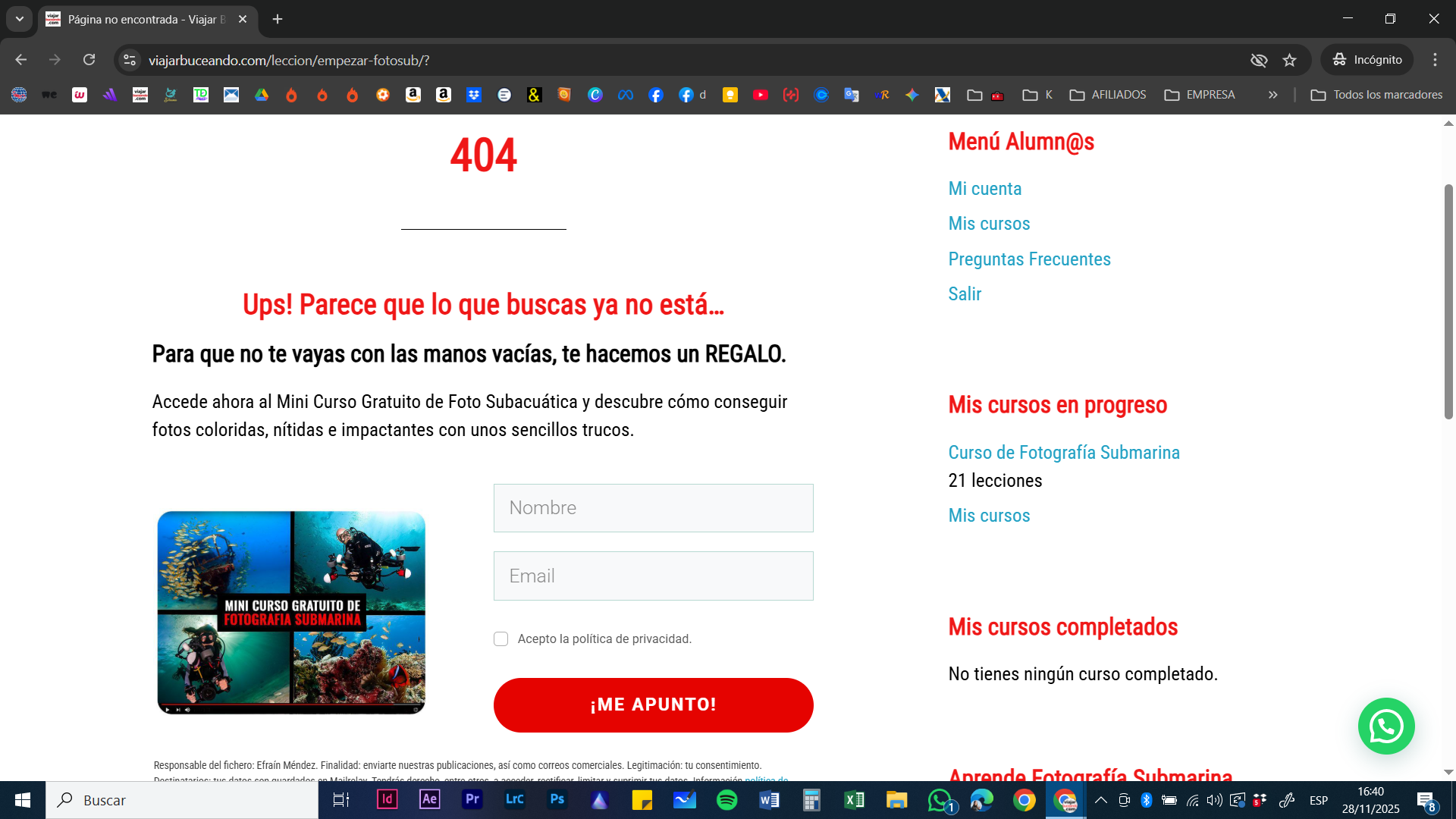
Gracias. No veo la papelera, pero la opción que me da es la de eliminar la imagen permanentemente y así lo he hecho.
Ahora me aparece error 404, ya no redirige a la página de la imagen. Adjunto captura.
Respondido : 28/11/2025 3:45 pm
Hola Ana Isabel.
Regenera los enlaces permanentes.
.- Accede Ajustes -> enlaces permanentes y sin realizar ningún cambio pulsa en el botón de Guardar
Un saludo
Respondido : 28/11/2025 4:04 pm
Topic starter
Sigue sin funcionar, me lleva a la misma pagina de error 404
Respondido : 28/11/2025 5:02 pm
Hola Ana,
Si creas uno nuevo te sucede lo mismo? el problema está en que Sensei tenía esa URL y al tenerla luego en una imagen creo un conflicto donde sensei le da prioridad a las URL de WordPress, entonces trata creando uno nuevo si te muestra bien la URL y la información entonces pasa el contenido de ese curo a este nuevo y solo asocias las lecciones al mismo.
Aprovecha y le colocas algo como curso-de-fotografia-subamarina-online para que aproveches y tenga mejor seo por coincidencia con el nombre del curso.
Un saludo 🖐️
Respondido : 28/11/2025 5:31 pm
Topic starter
Hola, gracias por todo. Parece que ya funciona corrctamente después de haber borrado las imágenes como indicastéis.
Saludos!
Respondido : 03/12/2025 3:15 pm
Hola Ana Isabel.
Nada, Gracias a ti 😀 me alegra que lo solucionaras.
Cualquier consulta que tengas no dudes en comunicarlo.
Un Saludo
Respondido : 03/12/2025 4:03 pm
